
Lucid dreams: what MeditaDream changes
Lucid dreaming starts before you fall asleep. Lucid Dream Preparation helps you set the intention to recognize that you’re dreaming, and Body Asleep, Mind Awake explores that strange threshold where the body rests and the mind stays awake. The Image that Appears on its Own trains you to watch the pictures that rise by themselves, just as they do in dreams.
In the morning, your dream journal takes over. Write down your dreams, their symbols and the ones that keep coming back. Over time, you may start to recognize your own dream signs, the clues that tell you you’re dreaming. Your journals stay private, on your phone, with no account.
Not every night has to be an exploration. When you simply want rest, Drifting into Sleep and Sleep Journey guide you into sleep without seeking lucidity. Add a soft ambient sound, choose a slower voice, and download everything so it plays in airplane mode.
Lucid dreams: the sessions in the app










Lucid dreams: the features that help
 Personal journals
Record dreams, gratitude, emotions, signs and spiritual experiences in organized journals.
Learn more → Voices, languages and pace
Choose English, French or Spanish, two voices per language, a speed from 0.75× to 1× and well-paced pauses.
 Ambient sounds
Pair your session with nature or music ambiences (waves, forest, mountain stream, flute…), at the volume you choose.
Learn more → History and reflections
Find the sessions you’ve done and note your impressions under several reflection headings.
 Offline listening
Download your sessions once, then use them with no connection and no network distractions.
Lucid dreams: the immersive worlds
 The Dream Forest
 The Desert Oasis
Lucid dreams: how to use the app in 4 steps
Start your dream journal on day one: as soon as you wake up, open the Dream Journal and write whatever you remember, even a single image or feeling.
At bedtime, play Lucid Dream Preparation (23 minutes) to set your intention to recognize that you’re dreaming. Lights off, eyes closed, and let the voice guide you.
On rested evenings or weekends, explore the threshold with Body Asleep, Mind Awake or The 33-level Spiral, then jot down what you experienced in your history.
Reread your journal each week. Recurring places, people or symbols become your personal dream signs, clues you can learn to notice the next time you dream.
Frequently asked questions
How do I use MeditaDream for lucid dreaming?
Use it at two moments. At night, Lucid Dream Preparation sets the intention to recognize your dreams, and Body Asleep, Mind Awake explores the edge of sleep. In the morning, write everything you remember in the Dream Journal, and reread it to spot recurring dream signs. Lucid dreams can take weeks to come, so give it time.
Why keep a dream journal?
Dreams fade within minutes of waking. Writing them down right away tends to help you remember more of them over time, and your notes reveal the places, people and symbols that come back. Those recurring dream signs are what many lucid dreamers learn to notice. In MeditaDream, the Dream Journal is private and stays on your phone.
Can lucid dreaming practice disturb my sleep?
Lucid Dream Preparation is best kept for nights when you want to explore your dreams, not for falling asleep quickly. When rest comes first, choose Drifting into Sleep or Sleep Journey instead. If exploring your dreams leaves you tired, take a break for a few nights and come back to it later.
Read more
From the blog on this topic
 Published November 4, 2026Bedtime Routine for Adults: How to Wind Down in 15 MinutesA 15-minute bedtime routine for adults to wind down before bed: less stimulation, a brain dump, a mini body scan, and why it starts in the morning.Read the article →
 Published October 7, 2026Yoga Nidra Benefits: Sleep Research and a 10-Min PracticeYoga nidra benefits: is 30 minutes really worth 4 hours of sleep? What research shows on sleep and stress, how NSDR differs and a 10-minute session.Read the article →
 Published October 3, 2026Breathing Exercises to Calm Down: Box Breathing and 3 MoreFour breathing exercises to calm down: box breathing, the physiological sigh, 4-7-8 and 365 coherence, and which one to use in each situation.Read the article →
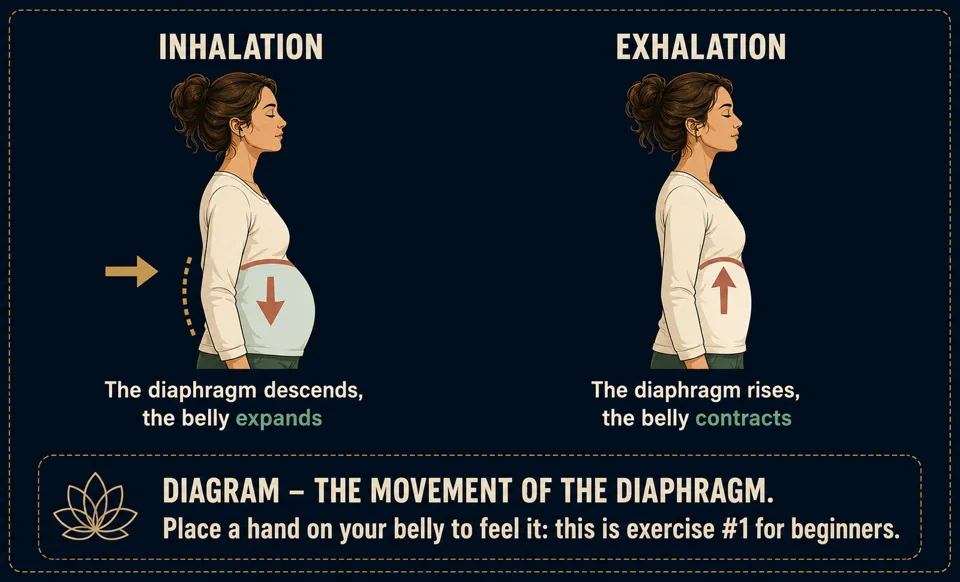 Published September 7, 2026Breathing Exercises for Meditation: 4 Techniques for CalmBreathing exercises for meditation, explained: belly, coherent, box and 4-7-8 breathing, when to use each one, with diagrams and simple precautions.Read the article →
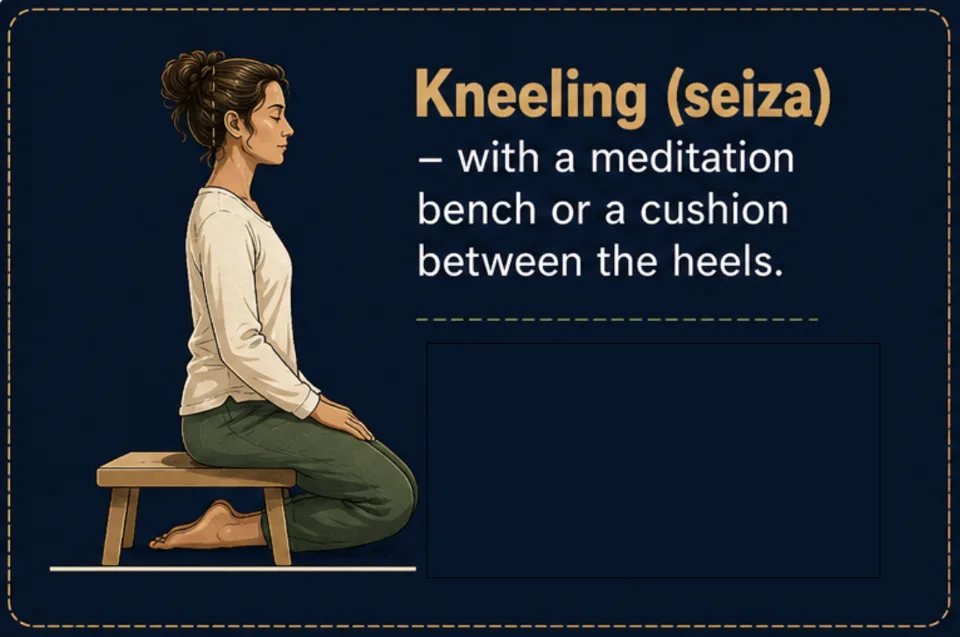 Published August 28, 2026How to fall asleep fast with a guided sleep meditationHow to fall asleep fast with meditation: why sleep runs away when you chase it, the evening posture, 4-7-8 breathing and how guided sleep meditation works.Read the article →
Practice for free
Every session is in the MeditaDream app: free, no subscription, no ads, no account, and it works offline.
