Meditation timer: sit in silence, with a soft interval bell
The MeditaDream meditation timer is for the days you want silence instead of a voice. Choose a duration, pick an interval bell or none, and press Start. A large countdown fills the screen, and a soft chime tells you when it is over.

How does the meditation timer work?
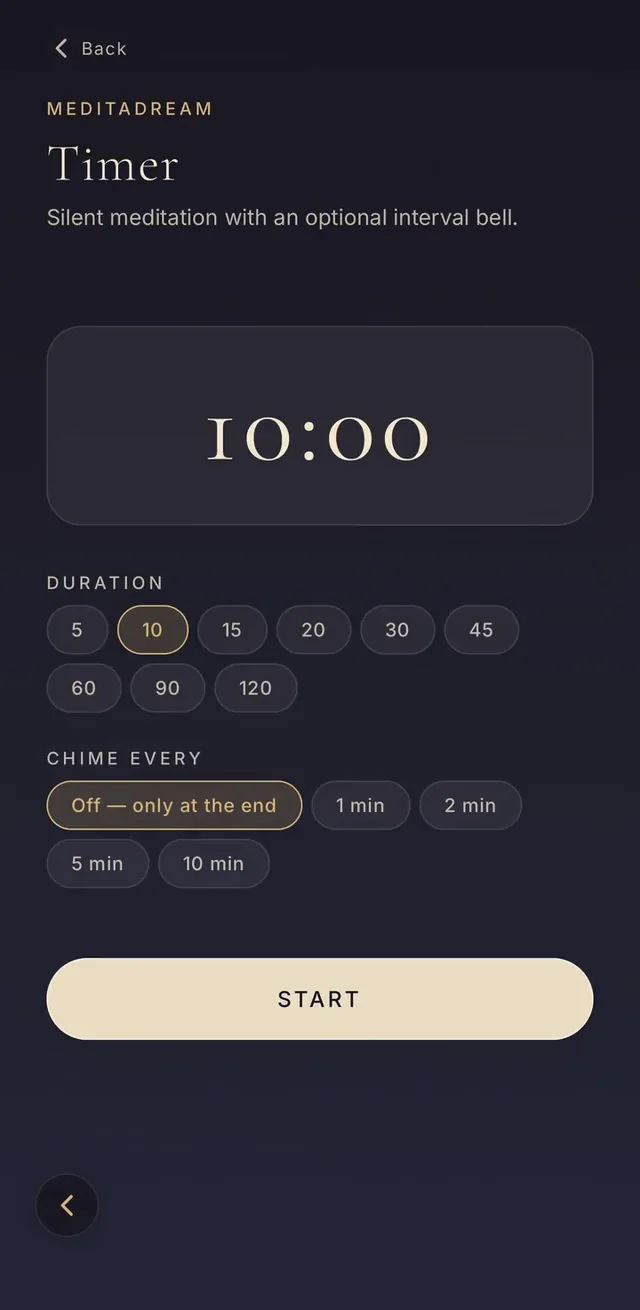
Tap Timer on the home screen, then choose how long you want to sit: 5, 10, 15, 20, 30, 45, 60, 90 or 120 minutes.
Under “Chime every”, pick a bell every 1, 2, 5 or 10 minutes, or “Off — only at the end”. Press Start: the countdown begins, and you can stop at any time.
- The bells still ring when your phone is locked.
- It works offline: no account and no connection needed.
- This meditation timer app is free, with no ads and no subscription.
A mindfulness bell app for silent meditation
In a meditation hall, a bell rings from time to time to bring everyone back to the present. The interval chime does the same on your phone.
Each chime is a single soft bowl, close to a Buddhist meditation bell sound. You hear it, you notice where your mind went, and you come back to the breath.
When you start, a bell every 2 minutes brings you back often. Later, a bell every 5 or 10 minutes leaves more room for silence.
Which timer settings for which goal?
The right settings depend on why you sit down. Here are three simple starting points.
- To learn to meditate: 5 or 10 minutes, with a bell every 2 minutes.
- To reduce stress at work: 5 minutes, with only the closing bell.
- For a long silent sitting, as in zen practice: 20 to 45 minutes, with a bell every 10 minutes.
Timed ambience: one sound, then silence
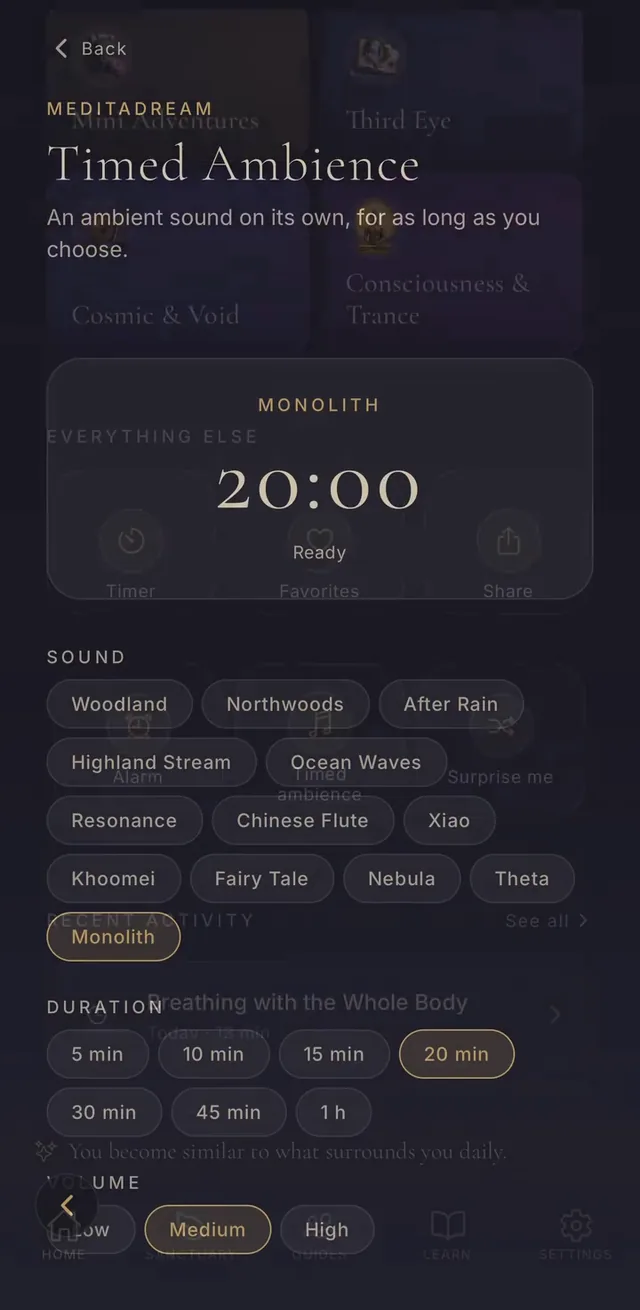
Timed ambience plays one ambient sound on its own, with no voice: woodland, after rain, ocean waves, a Chinese flute or a deep drone. For a Buddhist bell sound, pick Resonance, a singing bowl every four minutes.
Choose 5 minutes to 1 hour and set the volume. When the time is up, the sound fades out. It is a gentle way to fall asleep, or to read in calm.
A gentle meditation alarm
The Alarm reminds you to meditate at the time you choose, every day or only on the days you pick.
It is a soft notification, not a ringing alarm clock: a small invitation to take a few minutes for yourself.
Silent timer or guided meditation?
The timer suits you once you know what to do in silence: follow the breath, the body or the sounds around you.
If your mind wanders a lot, start with a guided session instead. The app has dozens of them, including short 4-minute meditations.
Practice for free
Every session is in the MeditaDream app: free, no subscription, no ads, no account, and it works offline.

Frequently asked questions
Is the meditation timer free?
Yes. The timer, the alarm and timed ambience are free, like the whole app: no subscription, no ads, no account.
Does the timer work with the screen locked?
Yes. Start the timer, lock your phone and put it down: the interval bells and the closing bell still ring. Everything works offline.
Can I use it as a gong timer?
Yes, if you like a soft sound: the chime is a light bowl rather than a loud gong. It plays every 1, 2, 5 or 10 minutes, and once at the end.
How long should a silent meditation last?
Start with 5 or 10 minutes a day. Add five minutes when the session starts to feel short. Sitting every day counts more than sitting long.
More themes
- Free meditation for beginners, guided step by step
- Quick meditation for anxiety
- Buddhist Meditations
- Guided deep sleep meditation and relaxation
- Sleep sounds with no ads: rain sounds, ocean waves, flutes and soft drones
- A free gratitude journal app: notice the good, one line at a time
- The MeditaDream Oracle: three meditations for how you feel
- Dragon meditation: a companion that grows as you practice
- A dream journal and four more: your private meditation journals
- My Meditations: write your own guided meditation script, free
- Qigong
- Emotional growth